

Totara is one of the most popular learning management systems (LMS), trusted by more than 19 million users across over 1800 organizations. We have already covered many of its benefits, from its affordable pricing and high level of customization to its straightforward setup process. One feature that is often overlooked, however, is Totara’s powerful reporting and analytics capabilities. In this article, we will explore everything you need to know about Totara reporting, including why it matters and how to make the most of it.


Digital Competence Development Courses
Digital Competence Development Courses

Totara Reporting Features You Should Know
2025. June 19. | SKOLL | LMS
Sharing is sexy!



What is Totara reporting
Let’s start with the basics. Like any LMS, Totara collects much data, from learner activity and course completion to engagement levels. If you do not use this data, you miss valuable opportunities.
Analyzing it can reveal insights into learner performance, satisfaction with learning materials, completion rates, and other important metrics that help improve your e-learning program. However, turning all that raw data into something useful is not always easy, quick, or fun. This is where Totara reporting comes in.
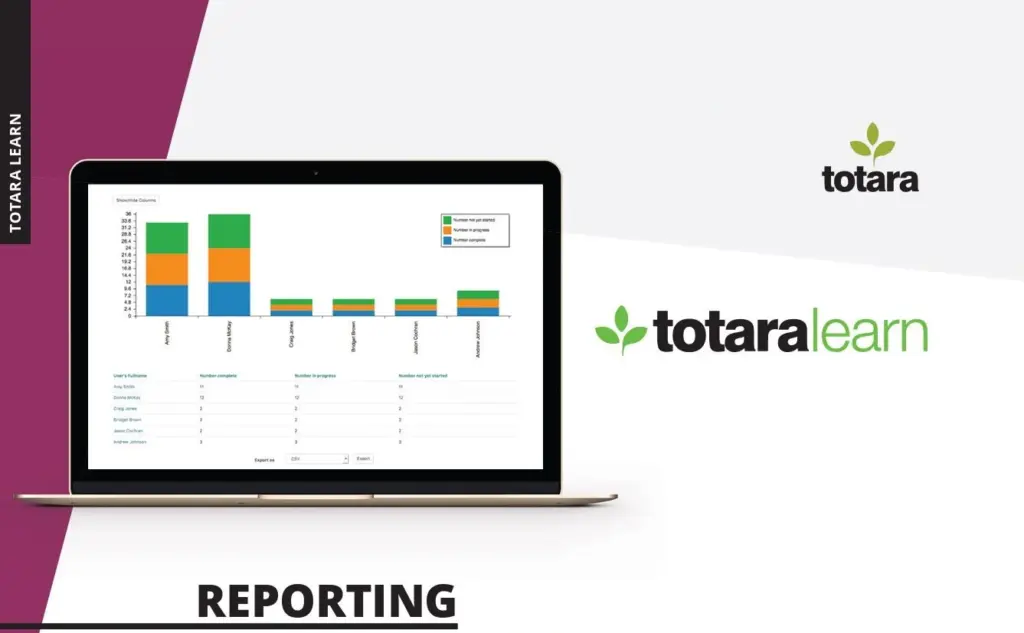
Totara reporting gives you built-in tools to make sense of your data, turning it into clear, actionable insights without needing to be a data expert. Here is how Totara defines it on their official website:
“Reporting is a key feature of Totara Learn with a powerful, flexible, custom report builder. Totara Learn provides a complete picture of usage, progress, and achievement across your organisation. Totara Learn includes the ability to customise dashboards to give selected users quick access to key information.”
Why use Totara reporting?
Totara reports are powerful tools that can help you improve your online learning platform and support your learners more effectively. They give you a clearer picture of how people learn, where they struggle, and what could be improved. Let’s take a closer look at the main benefits.
Helping students stay on track
Staying on top of student progress can be tricky, especially when managing multiple courses. With the right tools, spotting someone falling behind and stepping in early is easier. Totara reporting gives you that visibility, so no one slips through the cracks.
Make information-based decisions
Good decisions start with solid information. Whether tweaking course content or offering extra support, precise data helps you act confidently. Totara reporting puts the right insights at your fingertips, so you never guess.
Check if students engage with the courses
Finishing a course does not always mean a student was truly involved. You must know how they interact and what they are watching, clicking, or commenting on. These details help you understand what is working and what might need a rethink.
Recognise top performers and students who need extra help
Some students fly through the material, others need more time, which is okay. What matters is being able to tell the difference. With the right insights, you can celebrate strong performers and support those who need more help.
Automate the whole process
Chasing progress reports or sending reminders should not take up your day. With automation, Totara reporting handles the heavy lifting, keeping you informed without the extra admin. That means more time for teaching and less time buried in spreadsheets.
How to create a report in Totara
Creating a report in Totara is relatively easy once you understand the basics. There are two types of reports:
- user reports and
- embedded reports.
Site administrators create user reports that can be shared with others. On the other hand, embedded reports are generated automatically by the system. To create a report, site administrators can build one from scratch or modify existing templates.
Although only administrators can build reports, they can assign access to other users, who can run the reports as needed. When creating a report, the report builder interface has the following tabs.
General
In this tab, you can name your report, write a brief description, select the data source (the source of the report data), and set the number of columns to display per page.
Columns
Here, you decide what data to include and how it should be sorted. You can add or remove specific elements based on your needs. For example, a basic report could include the student’s name, test score, and completion date. Of course, you can also create much more sophisticated reports if needed.
Graphs
This tab allows you to add data visualizations to your report. Totara supports various chart types such as column, pie, area, scatter, line, and horizontal bar graphs, making it easier to interpret large datasets.
Filters
Here, you define which filters users can apply when running the report. Well-chosen filters help users explore and analyze the data effectively.
Content
The content tab lets you define how the data is populated in the final report. This is especially useful in larger organizations. For instance, a regional manager might only have access to local data and not data from other regions.
Access
This section determines who can view the report. You can grant access to all users, specific individuals, or designated user groups.
Performance
You can use the Performance tab to manage caching settings if your report involves large datasets. You can schedule caching during low-usage periods to reduce server load and ensure smooth performance.
If you want to learn more about Totara reporting, we highly recommend the following resources:
- A free course on Totara reporting with practical examples
- Detailed documentation on Totara report settings
If you need further assistance or want to ensure your reporting setup is optimized, Skoll is here to help. With over 15 years of experience in Totara solutions, we’re ready to support your needs.
Search

Recent Posts
- Learning materials | 2025.12.12.
What Is H5P and How Does It Work in E-Learning? - LMS | 2025.11.26.
Totara LMS reviews: pros, cons, and user experiences - LMS | 2025.10.29.
Moodle Reporting: What You Can Track and Why - LMS | 2025.09.12.
Moodle LMS reviews from real users and educators



What do we do?
SKOLL is one of the largest Hungarian companies specialising in online education, e-learning systems and digital learning materials. Our team includes teachers, scriptwriters, graphic designers, video crew, programmers and curriculum developers. With over 10 years of experience, we fully cover the complex e-learning value chain.
Browse our articles using the buttons below:
